Guardians of the Wall Controller Support and Graphics Settings
What Steam lists, and what to turn down before you blame the dash.
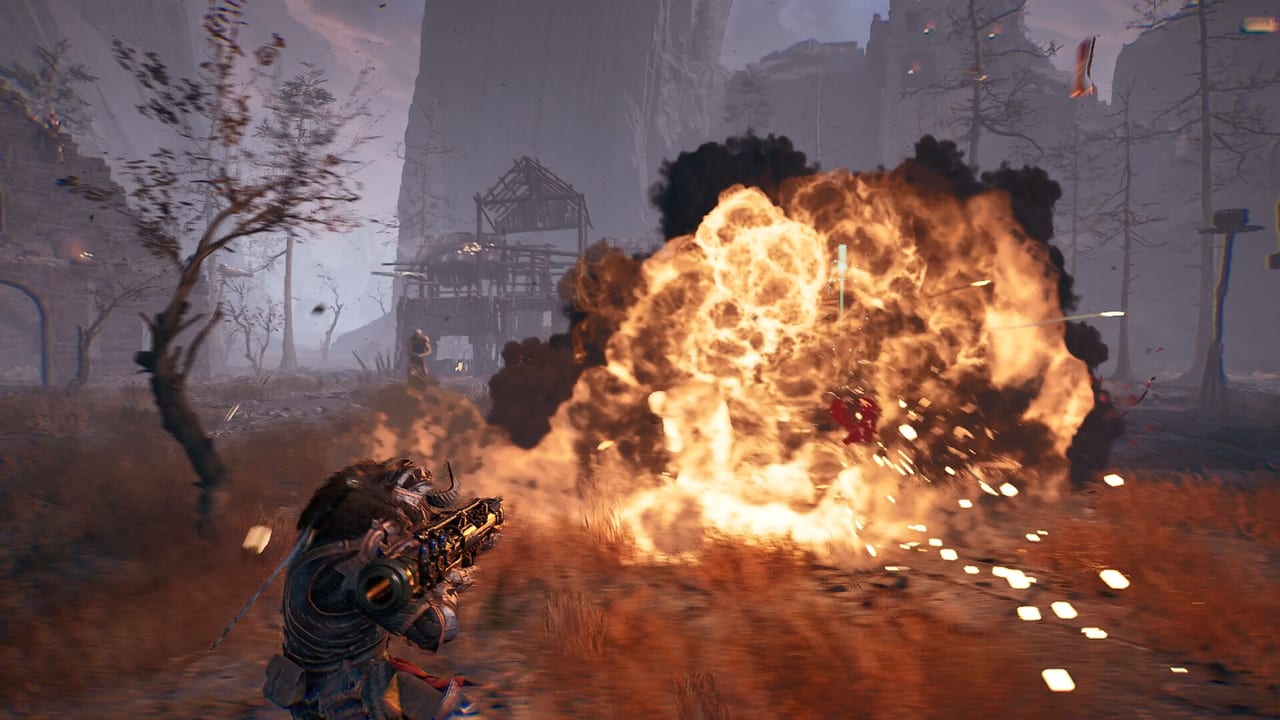
Two practical questions sit next to system requirements: can I use a pad, and which sliders do I nuke if the village hitchs. Steam’s feature list is short. This page expands it without inventing a full remap overlay that the playtest has not shown.
Controller: “partial” is the whole sentence
Steam lists Partial Controller Support. That is not “full UI, radial menus, and a recommended layout.” It means a pad may move, aim, and attack, and some prompts may still be keyboard. Plan on this:
- Keyboard and mouse is the safe default for a first playtest raid.
- If you plug in a pad, open bindings immediately. Do not wait for a pretty controller picture that the store does not ship.
- Mixed lobbies will happen. The co-op guide already assumes keyboard plus pad at the same table.
- Accessibility flags also include custom volume, stereo, surround, and “playable without timed input.” That last tag is a pause/comfort flag, not a promise that hordes wait.
We will not publish a fake Xbox layout with RT = fire and B = dash. When the playtest overlay shows a legend, it goes on combat and controls with the six verbs (melee, ranged, grenade, ability, dash, block).
Steam Deck is not listed. Windows PC is. If you force the playtest through Proton or a Deck, you are off the supported card. Report that to Steam as an experiment, not as a bug Boiling Bits promised to fix.
Graphics: drop fog before you drop the floor
This is Unreal Engine 5, dark fantasy, fire, particles, and gore. The minimum GPU is a GeForce GTX 1060 3 GB-class card. Three gigabytes of VRAM is tight. Recommended is a GTX 2080 8 GB-class card. If you are near minimum:
- Shadows and volumetric fog
- Particle / gore density if a slider exists
- Effects quality
- View distance last — you still need to see a runner on the map
Keep native resolution if you can. A blurry 1080p dash is easier to time than a 4K slideshow. If the playtest exposes DLSS, FSR, or XeSS, try an upscaler before you turn the raid into soup.
Close the browser. 12 GB of RAM is the minimum, not a comfortable number with forty tabs. 16 GB is recommended for a reason.
An SSD is not required on the store card. Install on one anyway. Shader compilation stutter on a dying platter drive will look like a combat bug.
Audio and violence settings
Custom volume exists. Drop music if you cannot hear the runner on your left. Surround is listed; stereo is listed. Use whatever matches your headset.
Mature-content text is explicit: firearms, close-range weapons, possible decapitation on critical hits. If you share a room, assume the village shots are the floor, not the ceiling. There is no published “hide gore” toggle. If one appears in the playtest, screenshot it and we will add it here.
A five-minute settings pass before first raid
- Confirm Windows 10/11 64-bit and DirectX 12 on the requirements page.
- Set frame cap to something your GPU can hold. A stable 60 beats a 120 that hitchs on grenades.
- Bind dash somewhere you will not miss. Solo players especially — see the solo guide.
- Lower fog. Raise it only after a clean village.
- Play two packs, then change one slider at a time. Changing six settings and then blaming the frontliner is how you learn nothing.
What we will add when the overlay exists
Default PC binds, a photographed pad map, and a recommended “minimum preset” named after whatever Boiling Bits labels it. Until those strings exist, anyone posting a 40-line INI tweak for this game is guessing from another UE5 title.
If settings still feel like a lie after that pass, the next click is hardware, not a tier list. Then go play. A readable dash is worth more than a cinematic screenshot you die in.
Wishlist and access remain a separate door: Steam wishlist and access. Official store text always wins if a slider name here drifts.
Frequently Asked Questions
Quick answers to the most common questions.
Is a controller fully supported?
Steam says partial controller support. Expect to rebind. Keyboard is the safe default until the playtest overlay shows a full map.
Will it run on Steam Deck?
Steam lists Windows PC only. Deck/Proton is unofficial. Check system requirements against a Windows box first.
What should I turn down first?
Fog, shadows, and particles. Keep resolution native if you can. View distance last so runners stay visible.
Where are default keybinds?
Not public. Learn the six verbs on combat and controls, then transcribe the in-game legend during the playtest.